
 March 18, 2026, 3:02 p.m.
Domain Controller Upgrade Steps
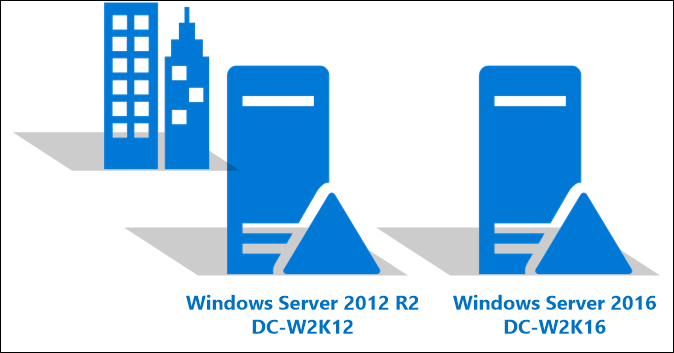
Although Domain Controller (DC) upgrade steps may stress some of us, there's actually no need to panic that much. You can apply the following steps if there are multiple DCs in the environment.
Don't worry, everything will be fine

CHECKS BEFORE STARTING
Has a new server been installed?
Have the latest updates been applied to the new server?
Has antivirus been installed?
TASKS TO BE PERFORMED ON OLD DC
Has it been verified that DC replications are working correctly? If there are problems and there are other DCs in the environment, this step can be skipped?
Have the server's name and IP, DNS, and WINS information (if any) been noted down?
Have CPU, RAM, and HDD capacity information been noted down?
Have the roles on the server been checked?
Are the FSMO roles on the server at the highest level according to your structure, and have the roles on the current server been migrated to another server?
If there is a DHCP role on the server, has a backup been taken?
Has a file backup been taken from the server?
Has an AD backup been taken from the server?
Has a snapshot or full backup of the server been taken?
*If the server is a DC, has the DC role been removed?
Has the server been assigned a different IP after restart?
Has the command ipconfig /registerdns been executed by opening the command line?
Has the new IP been verified in DNS on the AD side?
Has the server been removed from the domain and shut down?
Has it been verified on AD that the domain controller role belonging to the old server has been removed?
Has replication been achieved on other DCs? Is the information about the role being removed the same on other DCs? (same check as the previous step)
GRANTING DC ROLE TO THE NEW SERVER
Has the old DC name been given to the newly installed server? *(the same name is not actually important, it is only necessary if you have applications that resolve by name; if not, a new name can be given)
Has a primary DNS suffix been defined for the server?
Has the server been given the same IP, DNS, and WINS information (if any) as the old DC?
Has the server been restarted?
Has the server been joined to the domain?
Has the command ipconfig /registerdns been executed by opening the command line as run as admin?
Has the IP information for this server been verified on other AD and DNS servers?
Have the DC and DNS roles been added to the server?
Has DHCP been installed and restored from backup?
Has RDP been enabled and permission granted for remote connection?
Has VMWare Tools been installed and the server restarted?
Have the event logs been reviewed?
If FSMO roles distribution is necessary, has it been done?
Has the installation been completed successfully? (If not completed, you can specify the steps where errors occurred as notes below…)




Similar Posts