

 March 18, 2026, 3:02 p.m.
How to Fix SMB Signing Not Required Vulnerability
The SMB Protocol performs data encryption for all Windows operating systems to prevent modification of packets passing through it for file sharing, printer sharing, and Windows management. This feature must be enabled on both the server side and the client side. This way, client computers without SMB signing enabled cannot communicate with the server.
***Enabling SMB packet signing reduces file service operation performance by 15%.
The relevant registry setting:
HKLM\System\CurrentControlSet\Services\LanManServer\Parameters\RequireSecuritySignature
It is possible to protect against this vulnerability by enabling the Microsoft network server: Digitally sign communications (always) setting.
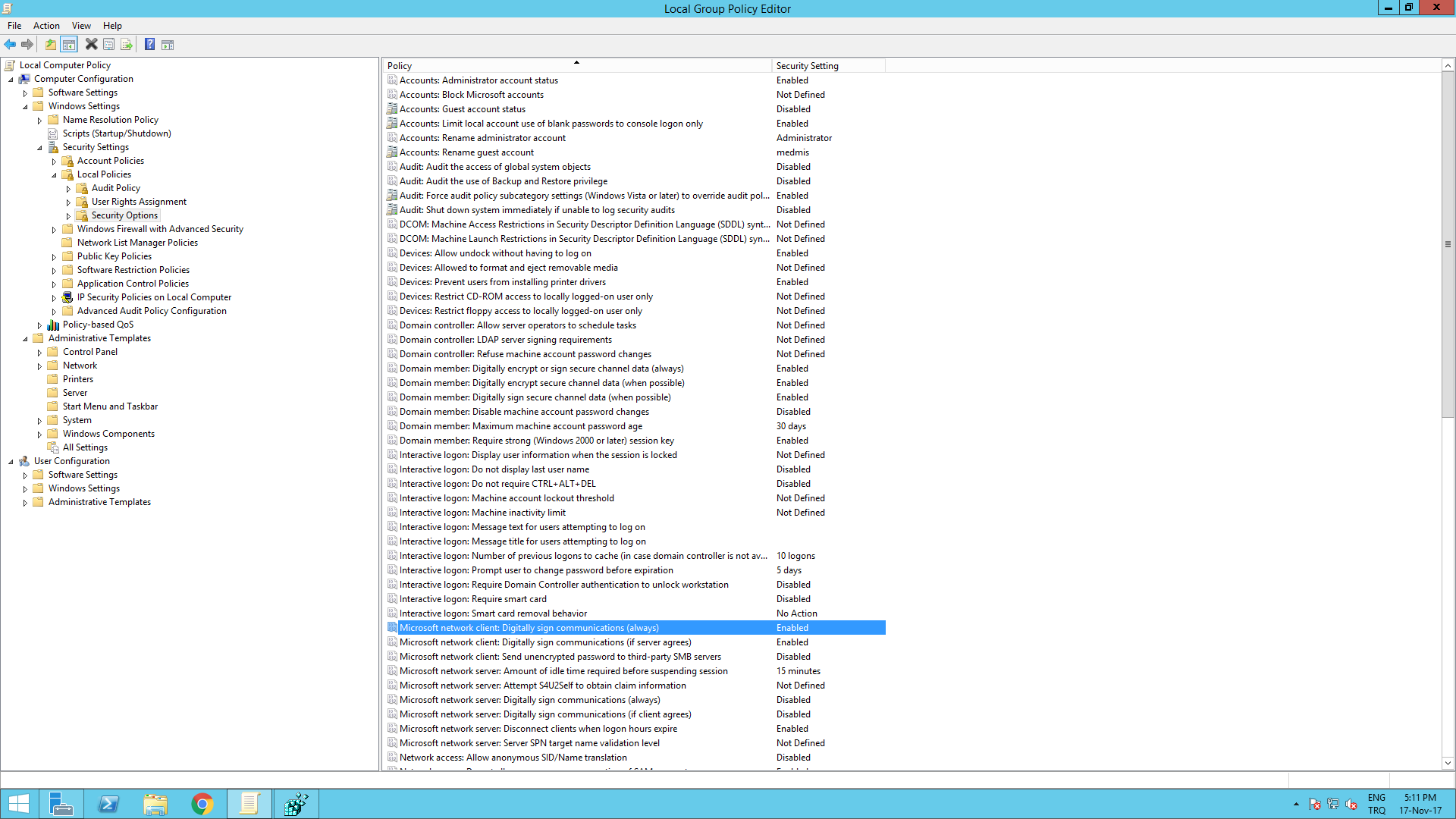
If you are doing this on a local computer:
Start>Run>From Gpedit in local security
Microsoft network client: Digitally sign communications (always) is enabled
If you are doing it via GPO, you can follow the same steps, you can create a group policy instead of gpedit.
Additionally, after testing, you can also change the settings of the following policies:
Computer Configuration->Policies->Windows Settings->Security Settings->Local Policies->Security Options
Disable Microsoft Network Client: Digitally Sign Communications (Always).
Disable Microsoft Network Server: Digitally Sign Communications (Always).
Enable Microsoft Network Client: Digitally Sign Communications (If Server Agrees).
Enable Microsoft Network Server: Digitally Sign Communications (If Client Agrees).
If signing is not enabled on both client and server on your system, you may not be able to access shared folders with these settings, so we recommend not trying them on production systems without testing.





Similar Posts