
 March 18, 2026, 2:33 p.m.
Active Directory (AD) is the heart of enterprise Windows networks and also the component most targeted by attackers. An attacker seeking Domain Admin privileges typically exploits AD vulnerabilities: weak delegation settings, Kerberoasting, AS-REP Roasting, legacy protocols, overprivileged accounts...
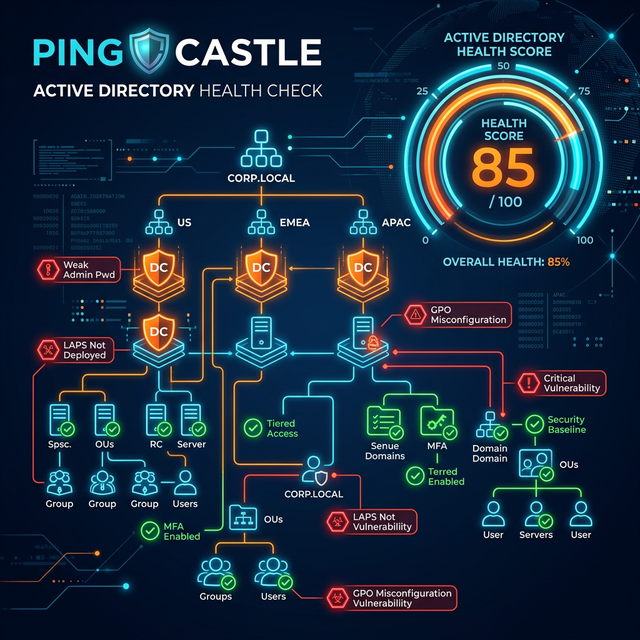
Ping Castle is a free, agentless Active Directory security assessment tool that detects all these vulnerabilities within minutes. Output: a risk score between 0-100 and a categorized list of findings that need remediation.
Why Is Ping Castle Important?
"What is your Active Directory's security score? Most organizations don't know — Ping Castle measures it in 2 minutes."
Ping Castle detects:
- Unconstrained Delegation (full privileges to all services) — critical risk
- Kerberoasting vulnerability — passwords of SPN accounts can be cracked offline
- AS-REP Roasting — accounts that don't require pre-authentication
- Legacy protocols: NTLMv1, SMBv1, RC4 Kerberos
- Domain admin account count and group — should be minimal
- Inactive accounts — accounts with no login for more than 6 months
- AdminSDHolder and ACL vulnerabilities
- Domain trust relationships and insecure configurations
How Does Ping Castle Work?
Ping Castle queries Active Directory using LDAP and SAMRPC protocols. It requires no agent installation, doesn't connect directly to the Domain Controller — only standard domain user privileges are sufficient (for basic queries). Domain User privileges are usually sufficient for full analysis.
Installation and Usage (Step by Step)
Step 1 — Download Ping Castle
- Official site:
https://www.pingcastle.com/download/ - Download and extract the ZIP file — no installation required
PingCastle.exefile is ready
Step 2 — Run on Domain
On a domain-joined machine, open CMD with domain user privileges:
PingCastle.exe --healthcheck- This command automatically detects the current domain and performs full analysis
- Duration: 1-2 minutes on small domains, 5-10 minutes in large environments
Step 3 — Analyze Specific Domain
PingCastle.exe --healthcheck --server corp.acme.com- Forest analysis:
PingCastle.exe --healthcheck --level Full
Step 4 — Review the Report
After execution completes, an HTML report is generated in the same folder:
- File name:
ad_hc_corp.acme.com.html - Open in browser — no internet connection required
- Risk score between 0-100 appears at the top of the report
- Note: The LOWER the score, the BETTER! 0 = excellent, 100 = critical risk
Step 5 — Understand the Findings
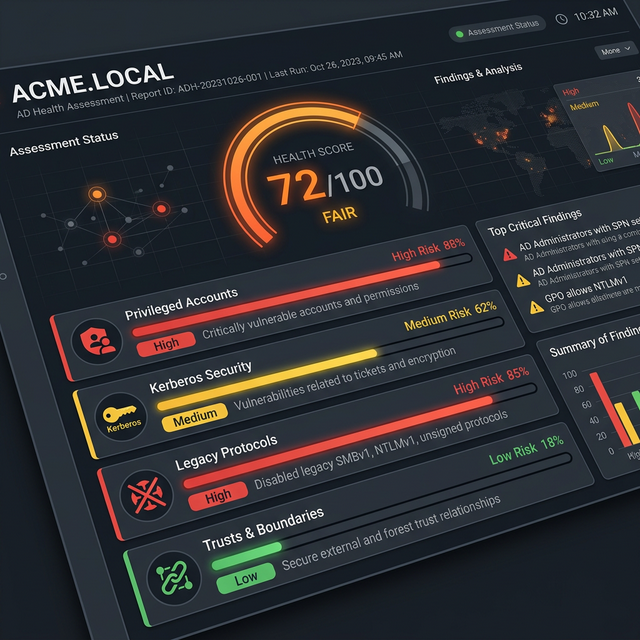
Figure 1: Ping Castle sample report — domain risk score and category-based findings
The report is divided into four main risk categories:
| Category | What Does It Include? | Priority |
|---|---|---|
| Privileged Accounts | Domain Admin count, AdminSDHolder, privileged group memberships | 🔴 Critical |
| Stale Objects | Old/inactive accounts, users with no login for 6+ months | 🟠 High |
| Trusts | Forest/domain trust relationships, SID history attacks | 🟠 High |
| Anomalies | Kerberoasting, AS-REP, unconstrained delegation, legacy protocols | 🔴 Critical |
Step 6 — Create a Remediation Plan
Next to each finding is a "How to fix" link — clicking it opens documentation explaining why this vulnerability is important and how to remediate it. Sort findings by risk score and address the highest-scoring items first.
Common Findings and How to Remediate?
🔴 Unconstrained Delegation
If an unconstrained delegation setting exists on a computer or service account, the Kerberos ticket of any Domain Admin accessing this machine remains in memory and can be stolen by attackers (Pass-the-Ticket).
- Remediation: Change delegation on relevant accounts to "constrained" or "resource-based constrained"
- Mandatory for Domain Controllers — remove completely on other accounts
🔴 Kerberoasting Vulnerability
Service accounts assigned with SPN (Service Principal Name) can have their passwords cracked offline by requesting Kerberos tickets.
- Remediation: Assign strong (25+ random characters) passwords to service accounts
- Use Managed Service Account (gMSA) if possible — password rotates automatically
🟠 NTLMv1 Usage
NTLMv1 is an authentication protocol from the 1990s and can be easily cracked.
- Remediation: GPO → Security Options → "LAN Manager authentication level" → NTLMv2 only
🟠 Inactive User Accounts
- Remediation: Disable accounts with no login for more than 90 days
- PowerShell:
Search-ADAccount -AccountInactive -TimeSpan 90.00:00:00 -UsersOnly
Ping Castle and ISO 27001 / NIS2 Compliance
| Standard & Clause | Ping Castle's Contribution |
|---|---|
| ISO 27001 A.9.2.3 — Privileged Access | Domain Admin and privileged account inventory and risk detection |
| ISO 27001 A.9.2.6 — Access Removal | Detection and cleanup of inactive/stale accounts |
| ISO 27001 A.12.6.1 — Technical Vulnerability Management | AD technical vulnerability detection and measurable risk score |
| NIS2 Directive — Art. 21 — Cyber Hygiene | Evidence for identity and access management audit |
| TISAX ISA 3.1 — Identity Management | Detection of privileged identity vulnerabilities |
Taking Ping Castle reports annually or quarterly and sharing them with your ISMS team provides strong technical evidence during ISO 27001 and NIS2 audits.
Ping Castle Execution Frequency
- First time: Today — learn your baseline score
- Regular: Every month or every


Similar Posts