
 June 25, 2026, 9:37 p.m.
Cybersecurity in the Remote Work Era: How Do You Protect Corporate Data from Home?
The remote work model, normalized after the pandemic, has brought flexibility and efficiency to the business world while also introducing critical cybersecurity risks. Employees accessing corporate systems from their homes has created new opportunities for cyber attackers. At Nordis Global, we believe that remote work security is not just an IT issue, but a cultural matter that requires awareness from all employees. In this comprehensive guide, we will examine in detail the principles of secure work from home environments, the importance of VPN usage, and video conferencing security.
Home Network Security: The Overlooked Danger

While corporate offices have professional firewalls, monitoring systems, and layered security measures, home networks typically lack basic security configurations. Most home users continue to use the modem and router sent by their internet service provider with default settings. This situation creates easy targets for cyber attackers.
Critical Security Vulnerabilities in Home Networks
The most common security vulnerabilities encountered during remote work are:
- Default Router Passwords: Default usernames and passwords set by manufacturers can be easily found online and used by attackers.
- Outdated Firmware: Failure to regularly update router software prevents known security vulnerabilities from being patched.
- Weak WiFi Encryption: Not using the current WPA3 protocol instead of WEP or older WPA standards allows network traffic to be easily monitored.
- Lack of Guest Network: Having smart TVs, IoT devices, and guest devices on the main network puts work computers at risk.
- UPnP Security Risk: While the Universal Plug and Play feature enables automatic configuration of devices connecting to the network, it can also open access doors for malicious software.
Steps to Secure Your Home Network
Essential steps you should take to secure your remote work environment:
- Access your router's management panel and be sure to change the default password
- Set your WiFi password as a complex combination of at least 16 characters
- Activate the WPA3 encryption standard (if your device supports it)
- Regularly update router firmware
- Create a separate guest network for work devices
- Disable the UPnP feature if unnecessary
- Configure your WiFi network name (SSID) to not contain company or personal information
VPN: The Indispensable Security Shield of Remote Work
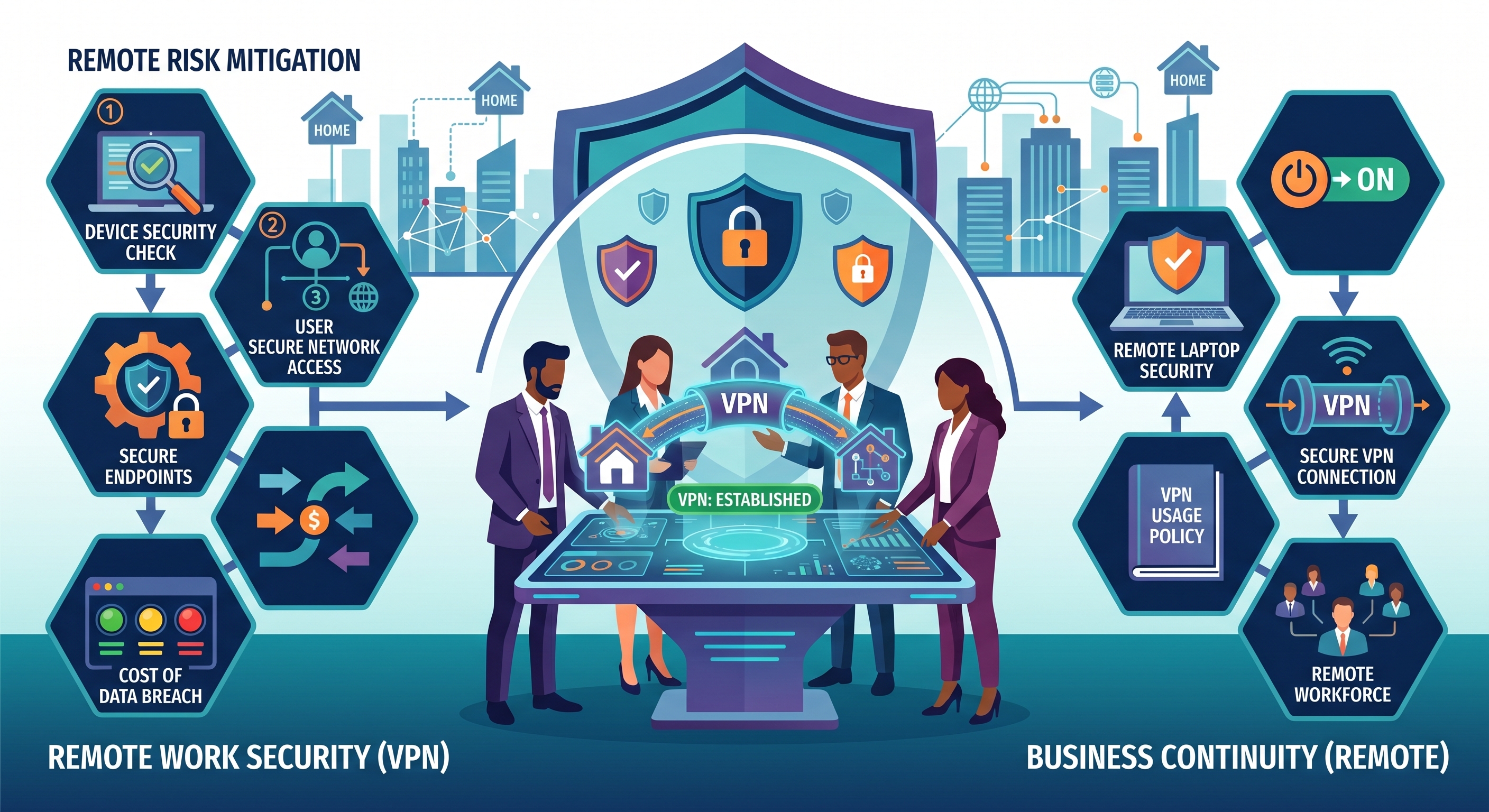
Virtual Private Network (VPN) is the most critical component of remote work security. VPN creates an encrypted tunnel between your device and company servers, ensuring your data is transmitted securely. However, proper understanding and implementation of VPN usage is vitally important.
Why Is VPN Mandatory?
Corporate VPN usage addresses many critical security needs:
- Data Encryption: All your internet traffic is protected with strong encryption algorithms like AES-256, so sensitive information cannot be read by third parties.
- IP Masking: Your real IP address is masked, preventing attackers from identifying your location and identity.
- Secure Access: You gain secure access to internal company resources, databases, and applications as if you were in the office.
- Public WiFi Protection: Your data is protected even when working on untrusted networks like cafes or airports.
- Bypassing Geographic Restrictions: You can access company resources even when working from abroad.
VPN Usage Principles and Common Mistakes
Critical points to consider when using VPN:
Keep VPN Always Active: Many employees only activate VPN when accessing company servers. However, the ideal approach is to keep VPN active as long as your work device has an internet connection. Even if you're using split tunneling, ensure all traffic accessing corporate data goes through VPN.
Avoid Free VPNs: While free VPN services may seem attractive for personal use, these services typically make money by selling user data. Always use the official VPN solution provided by your company for corporate data.
Activate Kill Switch Feature: If your VPN connection drops unexpectedly, the kill switch feature automatically cuts your internet connection, preventing data leakage.
Test VPN Connection: Regularly perform IP leak tests to ensure your VPN is actually working. Don't neglect DNS leak checks.
Video Conferencing Security: Protect Your Digital Meeting Room

Video conferencing platforms, an indispensable element of remote work, are exposed to various security risks from unauthorized access known as "Zoombombing" to data leaks. Security measures you should pay attention to when using platforms like Zoom, Microsoft Teams, and Google Meet:
Pre-Video Conference Security Checks
- Use Meeting Passwords: Always set a password for all meetings and share this password only with participants.
- Activate Waiting Room: Prevent participants from entering the meeting directly, allow entry with moderator approval.
- Don't Share Meeting Links Publicly: Avoid sharing meeting links on social media or publicly accessible platforms.
- Restrict Screen Sharing Permissions: Allow only the host or specific individuals to share screens.
- Control Recording Permissions: Review meeting recording settings


Similar Posts