
 March 21, 2026, 1:18 a.m.
Windows' built-in event logging system (Event Log) is extremely limited from a security perspective: which process started which process, which IP was connected to, which registry key was modified? Getting answers to these questions from Windows' own logs is nearly impossible. This is where Sysmon (System Monitor) fills that gap.
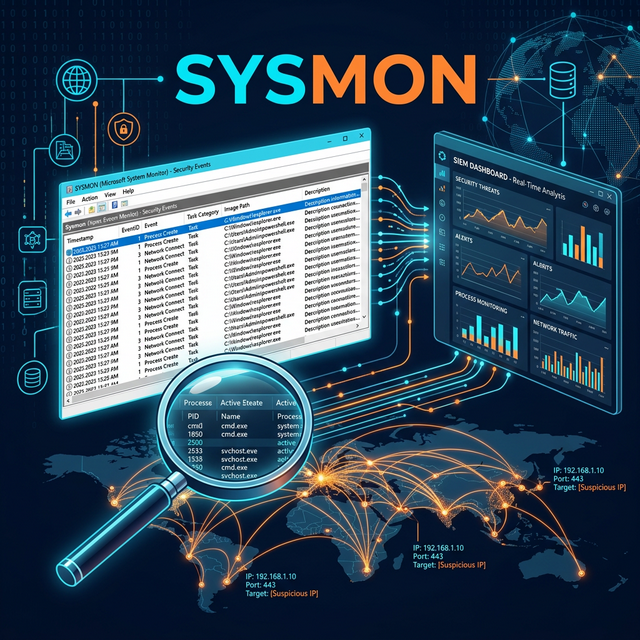
Part of the Sysinternals suite, Sysmon is a completely free Windows system monitoring tool developed by Microsoft. Once installed, it runs silently in the background and writes detailed events critical for security threats to the Windows Event Log.
What Does Sysmon Monitor?
Sysmon logs dozens of events that are invisible in default Windows logging:
| Event ID | Event Type | What Is It For? |
|---|---|---|
| 1 | Process Creation | Every new process launch — parent process, command line arguments, hash value |
| 3 | Network Connection | Which process connected to which IP:Port — critical for C2 detection |
| 7 | Image Loaded | DLL injection and process hollowing detection |
| 8 | CreateRemoteThread | Process injection detection — malware favorite |
| 11 | File Create | Malicious file dropping (dropper) detection |
| 12/13 | Registry Events | Persistence mechanisms — Run key, service registrations |
| 22 | DNS Query | Captures domain generation algorithms (DGA) and C2 communication |
Sysmon's greatest strength: hash values. It records SHA256 hash at every process launch — allowing instant comparison with VirusTotal.
Before Installation: Choose a Configuration File
Sysmon is controlled by an XML configuration file. Logging all events leads to both disk filling and noise. The best starting point is community-prepared configurations:
- SwiftOnSecurity/sysmon-config — The most popular configuration on GitHub. Filters noise, focuses on critical events. Ideal for beginners.
https://github.com/SwiftOnSecurity/sysmon-config - olafhartong/sysmon-modular — Modular configuration according to MITRE ATT&CK techniques. More advanced for SOC teams.
Sysmon Installation Steps
Step 1 — Download Sysmon
Download from Microsoft's official Sysinternals page:
- URL:
https://learn.microsoft.com/en-us/sysinternals/downloads/sysmon - Extract the ZIP:
Sysmon64.exe(64-bit),Sysmon.exe(32-bit)
Step 2 — Download Configuration File
You will use the SwiftOnSecurity configuration:
https://github.com/SwiftOnSecurity/sysmon-config/blob/master/sysmonconfig-export.xml- Save the file as
sysmonconfig.xml— place it in the same folder as Sysmon64.exe
Step 3 — Install as Administrator
Open PowerShell or CMD as Administrator:
Sysmon64.exe -accepteula -i sysmonconfig.xml-accepteula: Automatically accepts EULA-i: Install + load configuration file
Successful installation message: "Sysmon64 started. SysmonDrv started."
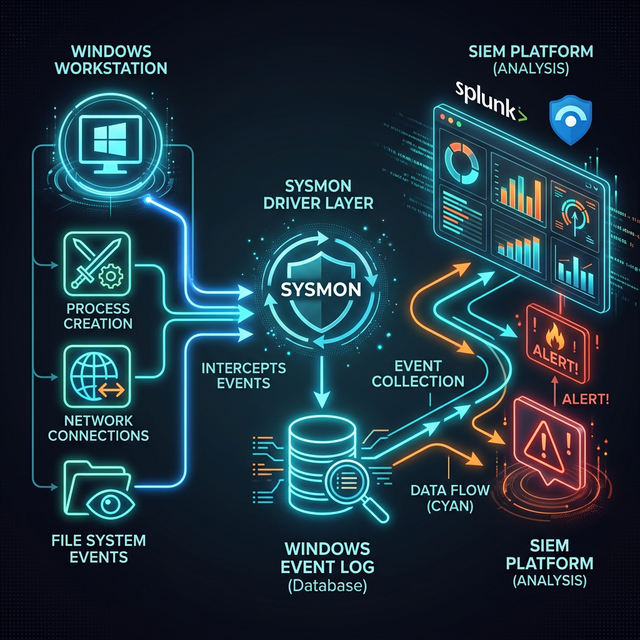
Figure 1: Sysmon data flow architecture — Windows events → Sysmon driver → Event Log → SIEM
Step 4 — Verify Service
sc query sysmon64→ STATE should be: RUNNING- Services (services.msc) → You should see "Sysmon64" service
Step 5 — View Logs
Open Event Viewer:
- Path: Applications and Services Logs → Microsoft → Windows → Sysmon → Operational
- Hundreds of events will arrive within the first few minutes — this is normal
Step 6 — Update Configuration
You can update the configuration without restarting Sysmon:
Sysmon64.exe -c new-config.xml
Domain-Wide Deployment via GPO
After validating installation on a single machine, it can be deployed domain-wide via GPO:
- Software Distribution: GPO → Software Installation → Sysmon64.msi (wrapper)
- Alternative: Deployment as application package via SCCM/Intune
- Copy configuration file to SYSVOL and reference it in the installation script
SIEM Integration: Transfer Events to Central Platform
Sysmon logs are stored in the Windows Event Log under the Microsoft-Windows-Sysmon/Operational channel. To transfer them to a central platform:
- Microsoft Sentinel: Automatic collection with MMA (Log Analytics Agent) or AMA
- Splunk: Splunk Universal Forwarder + inputs.conf with
WinEventLog://Microsoft-Windows-Sysmon/Operational - Elastic Stack: Direct transfer with Winlogbeat
- Graylog: Windows event forwarding with NXLog agent
Critical Detection Rules (Starter Set for SOC)
- PowerShell encoded command: Event ID 1 + CommandLine contains "-enc" or "-EncodedCommand"
- LSASS access: Event ID 10 + TargetImage = lsass.exe → Mimikatz detection
- Unusual process parent: cmd.exe or powershell.exe launched from Word/Excel
- DNS DGA detection: Event ID 22 + 50+ different domain queries in last 30 minutes
- Lateral tool transfer: Event ID 11 + .exe/.dll dropped in temp folder
Compliance Advantages Provided by Sysmon
- ISO 27001 A.12.4.1: Event logging — highly detailed audit trail
- ISO 27001 A.16.1.7: Evidence collection — rich logs for forensic analysis
- NIST CSF — Detect: Increases anomaly and event detection capacity
- NIS2 Directive: Meets event monitoring and reporting obligations
Conclusion
Sysmon is a free tool that increases Windows security visibility from 10% to 80%. Installation takes 15 minutes, but its impact is felt immediately. Before purchasing an EDR solution





Similar Posts